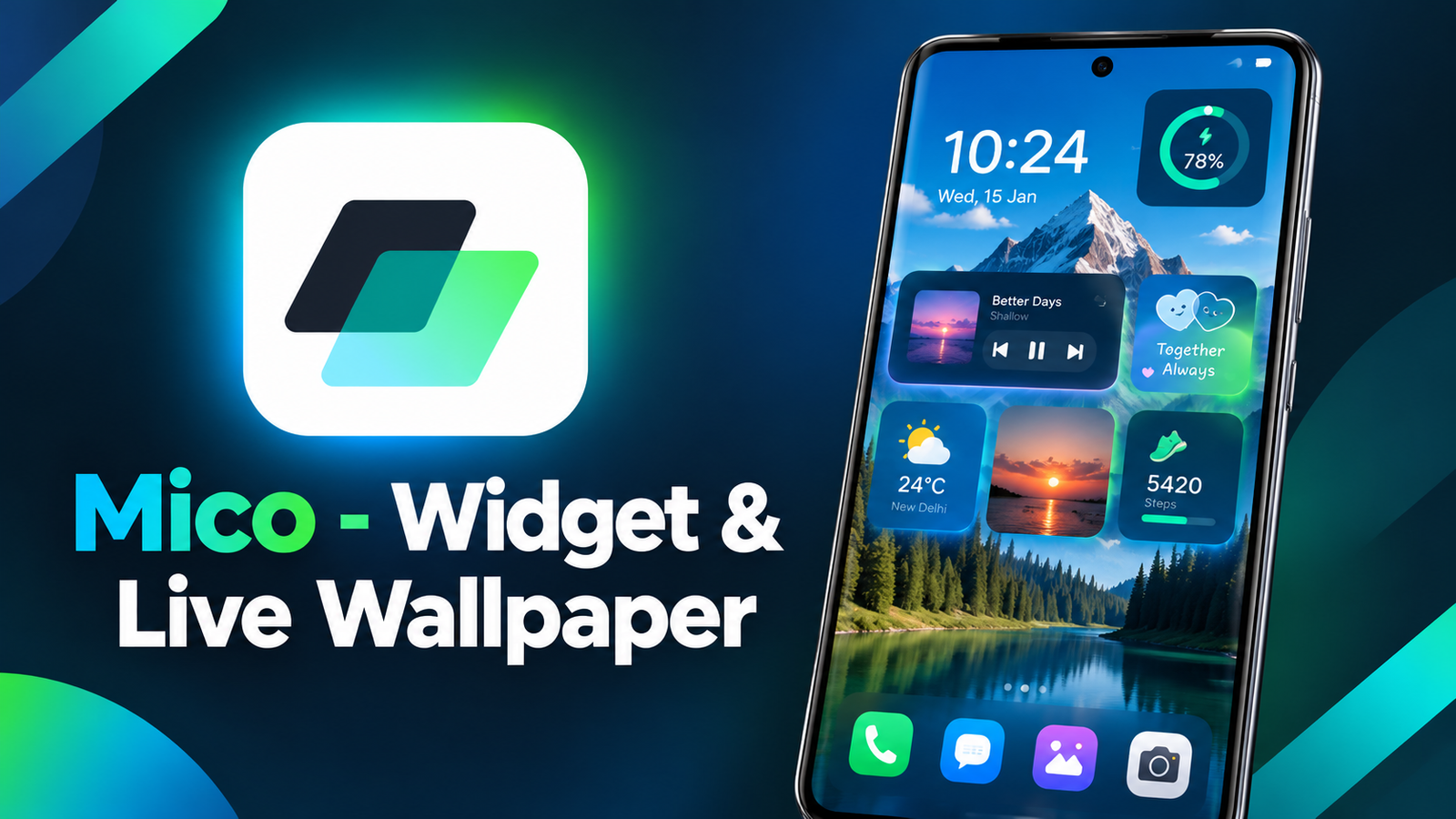
Smartphone customization is no longer limited to changing wallpapers or rearranging app icons. Many Android users now want home screens that reflect their personalities, interests, and everyday needs. From photo widgets and stylish themes to animated backgrounds and personalized lock screens, there are plenty of ways to make a device feel unique.
Mico – Widget & Live Wallpaper is an Android customization app that brings several of these options together in one place. It offers a collection of widgets, live wallpapers, icon packs, and design tools that let users create their preferred home screen appearance. Whether you enjoy cute designs, minimalist layouts, colorful themes, or animated backgrounds, Mico provides different options to explore.
Also read: Picture AppLock: Lock the Apps Review – A Unique Way to Protect Your Privacy
What Is Mico – Widget & Live Wallpaper?
Mico is a home screen customization app designed for users who want more control over their phone’s appearance. Instead of relying on the default Android interface, users can combine different widgets, wallpapers, themes, and icons to create a personalized setup.
According to its app description, Mico includes more than 1,000 creative widgets and a range of customization tools. It also offers 4K live wallpapers, photo-based designs, animated elements, and lock screen personalization features.
The main idea is to make smartphone customization accessible without requiring users to build every element from scratch. You can explore available designs, select the ones you like, and adjust your home screen to match your preferred style.
Key Features of Mico – Widget & Live Wallpaper
1. A Large Collection of Customizable Widgets
Widgets can make a home screen more attractive while providing useful information at a glance. Mico offers different widget styles for users with varying preferences.
The available options include photo widgets, music players, battery widgets, decorative panels, and animated elements. You can use these features to give your home screen a more organized or visually appealing appearance.
Mico also provides different widget design tools, allowing users to experiment with layouts and styles. Some options focus on functionality, while others are designed mainly for decoration.
For example, you could add a photo widget featuring a favorite memory, use a battery widget with a matching theme, or arrange multiple elements to create a coordinated home screen.
2. 4K Live Wallpapers and Custom Backgrounds
A wallpaper can significantly change the appearance of a smartphone. Mico includes a collection of live wallpapers and tools for creating personalized backgrounds.
Its wallpaper features include:
- DIY wallpapers: Turn your favorite photos or artistic designs into personalized backgrounds.
- Video wallpapers: Use supported video content to create a more dynamic home screen.
- 4K wallpaper collections: Explore high-resolution backgrounds in different visual styles.
- Anime and manga themes: Discover designs inspired by animated characters and illustrations.
- Nature and abstract artwork: Choose from scenic backgrounds and creative patterns.
- AI-powered effects: Apply available filters and depth effects to portrait wallpapers.
The app description also mentions regularly updated wallpaper collections. This gives users more designs to explore when they want to refresh their phone’s appearance.
Some wallpaper effects and features may depend on the selected design or device compatibility.
3. Photo Widgets for a Personal Touch
Photo widgets are useful for people who want their favorite pictures displayed directly on the home screen.
Mico offers photo widget designs in different styles, including decorative frames, cute pets, retro gaming aesthetics, and movie-film-inspired layouts.
These options allow users to display personal photographs without making the entire screen look like a traditional photo gallery. You can choose a style that complements your wallpaper and other home screen elements.
For users who enjoy regularly changing their phone’s appearance, photo widgets provide an easy way to introduce a fresh look without redesigning the entire layout.
4. Couple Widgets and Battery Designs
Mico also includes features intended for couples who enjoy coordinated smartphone customization.
The couple widget feature allows partners to use matching widgets, while customizable battery widgets can help create a consistent visual style across their devices.
These features may appeal to users who want their home screens to share a theme or include personalized elements connected to their relationships.
The app description also highlights dynamic widgets for the lock screen, expanding customization beyond the main home screen.
5. Themes for Different Aesthetics
Not everyone prefers the same smartphone design. Some users enjoy bright colors and playful graphics, while others prefer retro icons, minimalist layouts, or darker themes.
Mico offers theme customization tools that help users create different visual styles.
You can explore available themes and wallpapers, combine complementary designs, and change your setup when your preferences change. The description mentions popular styles, including Labubu-inspired themes and TikTok-related wallpaper designs.
This flexibility makes the app suitable for users who enjoy experimenting with their phone’s appearance rather than sticking to one design.
6. More Than 2,000 Icon Pack Options
App icons are another important part of a customized home screen. Even when the wallpaper looks attractive, mismatched icons can make the overall design feel inconsistent.
Mico’s description lists more than 2,000 icon pack options, including retro pixel designs, neon styles, and marble-inspired textures.
These icon packs give users more choices when building a coordinated theme. You can select icons that match your wallpaper, widgets, and preferred color palette.
The exact application of icon packs may depend on the customization method and compatibility with your device or launcher.
7. Smart Text and Typography Customization
Mico also offers text customization features for users who want to add meaningful messages or decorative typography to their screens.
The app description mentions more than 500 motivational quotes and editable text designs. These tools can help users create widgets featuring inspirational messages or phrases that complement their chosen theme.
By combining typography with photos, colors, and widgets, users can create a home screen that feels more personal.
8. Health Tracking and Useful Information
Customization does not have to be purely decorative. Mico also mentions health-related dashboard options with real-time step counters.
These features can help users display selected activity information as part of their personalized screen layout.
However, the availability and accuracy of displayed information depend on the app’s implementation, device compatibility, and any required permissions.
How to Personalize Your Phone Using Mico
Getting started with Mico can be approached as a simple customization process.
Step 1: Explore the available designs
Open the app and browse its widget, wallpaper, theme, and icon collections.
Step 2: Choose a visual style
Decide whether you prefer a minimalist home screen, colorful aesthetic, retro appearance, anime-inspired theme, or another design.
Step 3: Select a wallpaper
Choose an available background or explore the tools for creating a personalized wallpaper from your own photos or supported video content.
Step 4: Add suitable widgets
Select photo frames, battery displays, music widgets, or other available elements that complement your chosen background.
Step 5: Customize icons and text
Experiment with icon packs, typography, and other design options to make the layout more consistent.
Step 6: Review your final layout
Check that the widgets and icons are arranged comfortably and that important information remains easy to access.
The available customization steps may vary depending on the features you choose and your Android device.
Is Mico – Widget & Live Wallpaper Worth Trying?
Mico may be worth exploring if you enjoy changing your smartphone’s appearance and want access to several customization options through one app.
Its main attraction is the variety of tools it brings together. Instead of focusing exclusively on wallpapers or widgets, it combines photo-based designs, live backgrounds, icon packs, themes, and additional personalization features.
The app could be particularly appealing to:
- Android users who enjoy aesthetic home screens.
- People who frequently change their wallpapers and themes.
- Users who want personalized photo and battery widgets.
- Couples interested in matching widget designs.
- Anyone who enjoys experimenting with different icon styles and layouts.
However, users should consider their device’s capabilities before applying complex animated backgrounds or multiple widgets. Live wallpapers and animated elements may consume additional system resources, depending on how they work and how frequently they update.
It is also worth checking which features are available without additional purchases, as the provided description does not specify the complete pricing structure.
Mico – Widget & Live Wallpaper – Play Store App
Final Verdict
Mico – Widget & Live Wallpaper offers a broad range of smartphone personalization options for Android users. Its combination of widgets, 4K live wallpapers, photo frames, icon packs, themes, and text customization tools makes it a versatile option for creating a distinctive home screen.
Whether you want a colorful aesthetic, a coordinated couple setup, a collection of personal photos, or an animated background, Mico provides several ways to experiment with your phone’s appearance.
Its biggest advantage is the variety of customization features available within one app. If you enjoy refreshing your smartphone’s look and building a home screen that reflects your personal style, Mico is an app worth considering.
1 thought on “Mico – Widget & Live Wallpaper: A Creative Way to Personalize Your Phone”