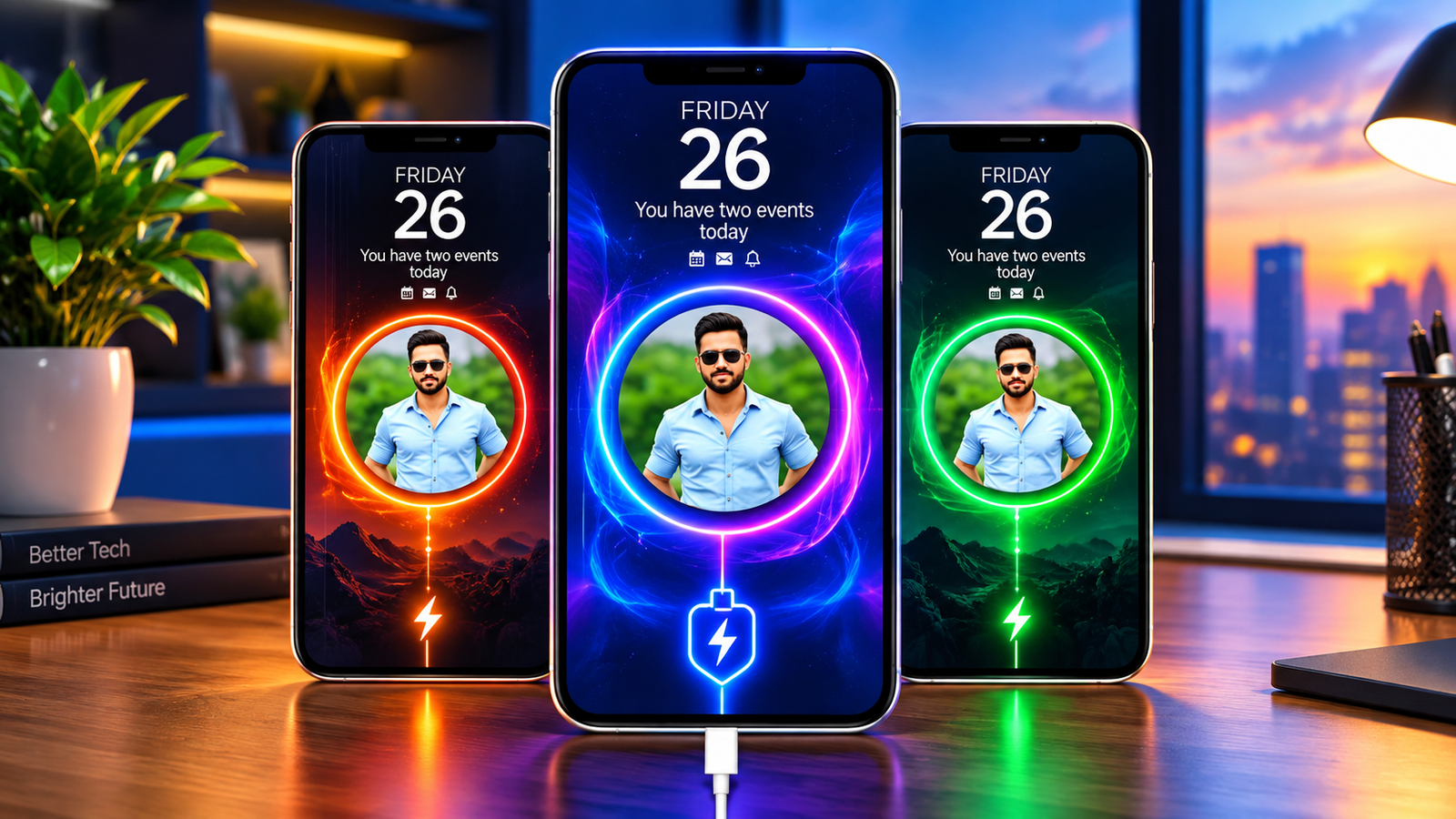
Charging screens are often one of the most overlooked parts of a smartphone’s interface. While the default charging indicator is usually simple and functional, some Android users prefer something more visual and personal.
Batix – Charging Photo is designed for users who want to change the way their phone looks when it is connected to a charger. The app offers options such as custom photos, charging animations, themed visuals and battery-related information, allowing users to create a more personalised charging experience.
Also read: How to Improve Safari Privacy and Security on Your iPhone?
What Does Batix – Charging Photo Do?
Batix is an Android customization app focused specifically on the charging screen. Instead of relying only on the standard charging indicator provided by the phone, users can choose different visual designs to appear when charging begins.
Depending on the options available in the installed version, users can select from animated effects, themed screens and personal images.
The main idea is simple: make the charging screen look more personalised without changing the rest of the phone’s interface.
Main Features You Can Explore
Add Your Own Photos
One of the more personal customization options is the ability to use an image from your phone’s gallery.
For example, you could choose:
- Family photographs
- Travel pictures
- Pet photos
- Favourite wallpapers
- Personal artwork
The selected image can then be incorporated into the charging screen, depending on the app’s available customization options.
Choose From Different Charging Designs
Batix also provides different visual styles for users who don’t want to use their own photos.
The available designs may include styles such as:
- Neon effects
- Colourful animations
- Futuristic designs
- Technology-inspired visuals
- Abstract graphics
- Other themed charging screens
The exact selection can vary depending on the app version.
Add Charging Animations
Static images aren’t the only option. Charging animations can add movement to the screen whenever the phone is connected to power.
These effects are mainly intended as a visual customization feature rather than a change to how the phone charges.
Display Battery Information
Along with the visual effects, the charging screen may display information related to the device’s battery.
Depending on the phone and app version, this can include details such as:
- Battery percentage
- Charging status
- Current battery level
- Charging progress
- Other available charging information
The exact information shown can vary between Android devices.
How to Set Up a Custom Charging Screen
The setup process is intended to be relatively straightforward.
A typical process may look like this:
- Open Batix – Charging Photo.
- Browse the available charging screen designs.
- Select a theme or choose an image from your gallery.
- Adjust the available animation or visual settings.
- Enable the required charging-screen option.
- Connect your phone to a charger to check the result.
Some settings may work differently depending on the Android version, device manufacturer and permissions granted to the app.
Why Use a Charging Screen Customization App?
The main attraction of an app like Batix is personalization.
Make Your Phone Feel More Personal
Using your own image or a preferred design can give the charging screen a more individual appearance.
Add Visual Effects
Animated graphics and colourful designs can make the otherwise simple charging screen more interesting.
Experiment With Different Styles
If you regularly change wallpapers or themes, charging-screen customization provides another way to change the look of your device.
Keep Battery Information Visible
If supported on your device, battery details displayed on the charging screen can make it easier to check the current charging status at a glance.
Who Is Batix Best Suited For?
The app may appeal particularly to Android users who enjoy changing the appearance of their smartphones.
Android Customization Fans
If you frequently experiment with wallpapers, widgets, icons or themes, a customizable charging screen can be another addition to your setup.
Users Who Like Personal Photos
People who want their own pictures to appear during charging may find the photo-based customization useful.
Fans of Neon and Animated Designs
Those who prefer bright, colourful or futuristic visuals can explore the animated effects and themed designs available in the app.
Users Who Enjoy Trying New Phone Setups
If you like regularly changing your smartphone’s appearance, charging animations can provide another customization option to experiment with.
How to Install Batix on Android
If Batix – Charging Photo is available for your device through the Google Play Store, you can install it using the standard Android installation process.
- Open the Google Play Store.
- Search for Batix – Charging Photo.
- Check the app name and developer details.
- Review the available description, permissions and user feedback.
- Tap Install if you decide to use it.
- Open the app and configure the charging-screen options.
It’s better to use an official app store rather than downloading an APK from an unknown website. Before installation, also check what permissions the application requests and whether they make sense for the features you want to use.
Check Permissions Before Using the App
Because a charging-screen customization app may need access to certain device features, it’s worth reviewing its permissions before granting access.
Pay particular attention to permissions related to:
- Photos and media
- Notifications
- Displaying content over other apps
- Battery or device information
The permissions available and required can differ depending on your Android version and device manufacturer.
You can also review the app’s privacy information and recent user reviews before deciding whether to keep it installed.
Things to Keep in Mind
Charging animations are primarily a visual customization feature, so they should not be confused with technologies that increase charging speed or battery capacity.
Also, compatibility can vary across Android smartphones. Features that work correctly on one manufacturer’s device may behave differently on another because Android interfaces and background-app restrictions differ between devices.
If an animation doesn’t appear consistently, checking the app’s permissions and battery/background settings may help.
Official Play Store App Link
Final Thoughts
Batix – Charging Photo is aimed at Android users who want more control over the appearance of their charging screen. By combining personal photos, animated effects and themed designs, the app provides another way to customise a smartphone beyond wallpapers and icons.
Its appeal will largely depend on how much you enjoy visual customization. Before installing it, check the current Play Store listing, supported devices, permissions and user reviews to make sure the app suits your phone and preferences.