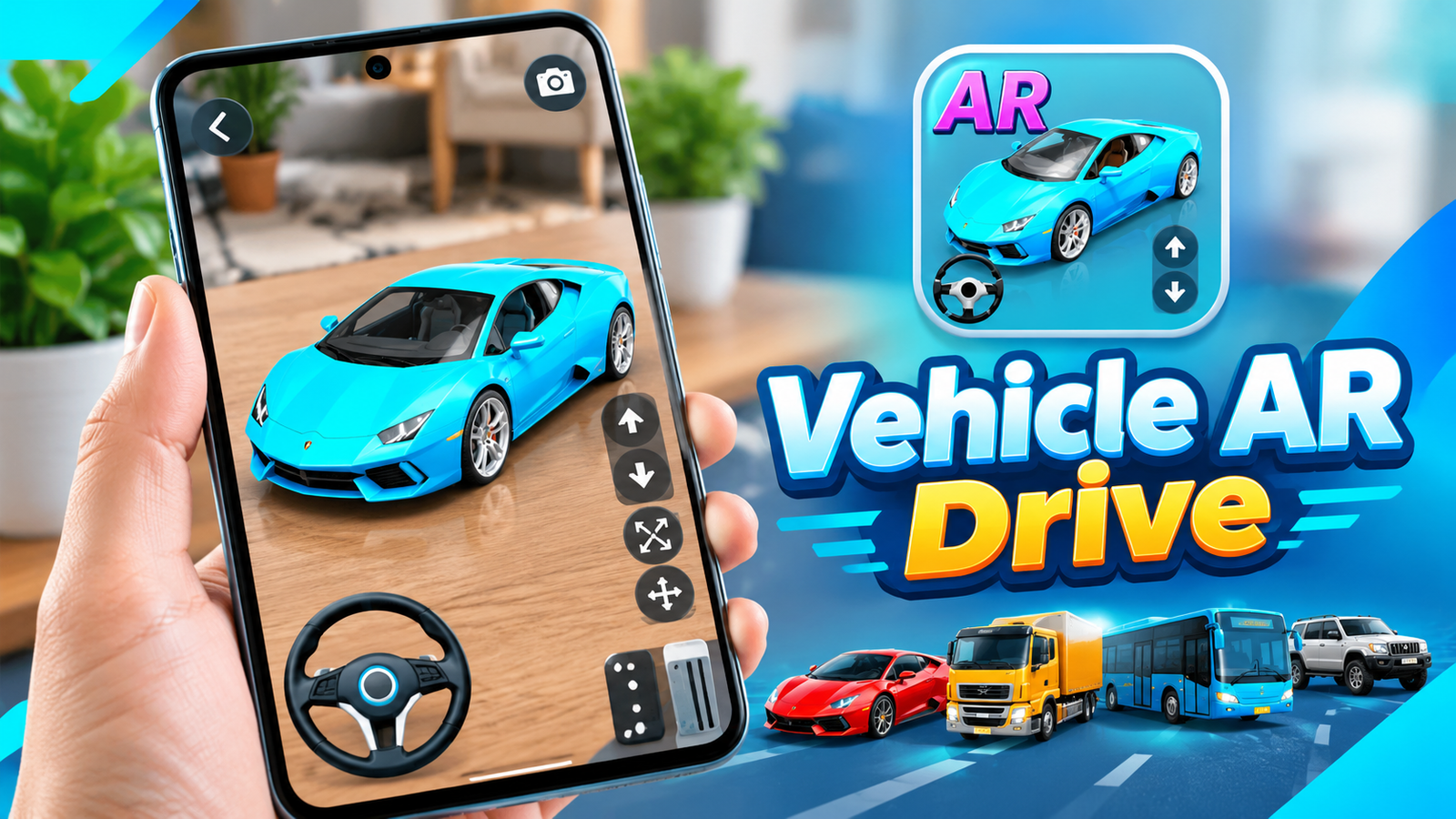
Augmented reality can turn an ordinary smartphone camera into a window for exploring virtual objects in the real world. Vehicle AR Drive uses this technology to let users place and interact with 3D vehicles through their Android device.
The app combines AR visualization with simple driving controls, allowing users to explore different vehicle models, change their size and move them around a real environment.
Also read: Rolling Icon: 3D Wallpaper Review – Add Motion and 3D Effects to Your Home Screen
What Is Vehicle AR Drive?
Vehicle AR Drive is an augmented reality app that places virtual 3D vehicles into your surroundings. After opening the AR camera, users can scan a flat surface and place a selected vehicle into the scene.
The app is designed mainly for entertainment and educational purposes, while also providing an introduction to augmented reality technology.
Explore Different 3D Vehicles
The app includes several types of vehicles that can be viewed in augmented reality. Depending on the available options, users can choose from models such as:
- AR Cars
- Trucks
- Buses
- Pickup vehicles
- SUVs
- Taxis
- Vans
- Sports cars
The vehicles are presented as 3D models with different colors and textures, giving users an opportunity to examine them within their surroundings.
How Does the AR Experience Work?
Using the app is relatively straightforward. After selecting a vehicle, the AR camera opens and asks users to scan a flat surface.
Once a suitable surface is detected, the selected vehicle can be placed there. This makes it possible to see a virtual car, truck or other vehicle as though it were present in the real environment.
The app’s AR experience depends on the capabilities and compatibility of the Android device being used.
Drive Vehicles Virtually
Vehicle AR Drive goes beyond simply displaying a 3D model. Users can also interact with the selected vehicle through on-screen controls.
The description mentions controls for:
- Steering
- Forward and backward movement
- Braking
This allows users to virtually drive the selected vehicle around the AR environment.
The feature can make the experience more interactive compared with apps that only allow users to view static 3D objects.
Resize and Move the Vehicle
Another useful feature is the ability to adjust the size of the virtual vehicle. The scale option allows users to make the model smaller or larger within the camera view.
There is also a move option that lets users change the vehicle’s position. These controls provide more flexibility when arranging the virtual model in the surrounding environment.
For example, users can experiment with placing a vehicle on different areas of a flat surface or adjusting its size to create different AR scenes.
Screenshots and Sharing
Vehicle AR Drive also includes a screenshot feature. After creating an AR scene, users can capture the virtual vehicle together with the surrounding environment.
Screenshots can then be shared through social media, making it possible to show friends how the 3D vehicles appear in the real world.
Educational and Entertainment Use
According to its description, the app is intended for AR entertainment and education. It can provide a simple way for users to understand how augmented reality works by placing digital 3D objects into physical surroundings.
For people who are new to AR technology, interacting with virtual vehicles can be an accessible way to explore concepts such as surface detection, object scaling and virtual positioning.
Final Thoughts
Vehicle AR Drive combines 3D vehicle models with augmented reality and interactive driving controls. Instead of simply viewing vehicles on a traditional screen, users can place them into their surroundings, resize them, move them and virtually drive them.
With cars, trucks, buses, SUVs, taxis, vans and other vehicle types, the app provides a variety of models to explore. Its screenshot and sharing options also add another way to enjoy the AR experience.
If you’re interested in experimenting with augmented reality and want a simple vehicle-focused experience on Android, Vehicle AR Drive offers an interactive way to explore virtual vehicles in a real-world setting.
Official Play Store App Link
FAQs
1. What is Vehicle AR Drive?
Vehicle AR Drive is an Android augmented reality app that lets users place and interact with 3D vehicles in real-world surroundings.
2. Which vehicles can be viewed in AR?
The app description mentions cars, trucks, buses, pickups, SUVs, taxis, vans and sports cars.
3. Can I drive the AR vehicles?
Yes. The app provides on-screen steering, forward, backward and brake controls for interacting with the virtual vehicles.
4. Can I change the vehicle’s size?
Yes. The scale option allows users to resize the 3D AR vehicle.
5. Can I move the AR vehicle?
Yes. A move option is provided to change the vehicle’s position within the AR scene.
6. Can I take screenshots?
Yes. The app includes a screenshot feature and allows screenshots to be shared on social media.
1 thought on “Vehicle AR Drive Review: Explore and Drive 3D Vehicles in Augmented Reality”